00 Daily apron count
A daily count of parked aircraft, by type, for an airport apron you name.
A dated table from very high resolution imagery: how many aircraft are on the ramp, and which broad class they are.
01 Files
What arrives each day
| File | Format | What's in it | Per |
|---|---|---|---|
| 01Apron count | CSV | One row per airport per pass: the date, the airport code and the total number of aircraft parked on the apron. It drops straight into a spreadsheet as a time series, or into the table your utilisation model already reads. | each pass |
| 02Type breakdown | CSV columns | The same row split by broad class: widebody, narrowbody, turboprop and regional jet, where the aircraft can be told apart by eye. Anything too small, too far under cover or too partly hidden to class goes in an unclassified column rather than being guessed. | each pass |
| 03Dated overlay image | PNG | The pass image with each counted aircraft marked and the date on it. Open it beside the table when a number looks odd and check the count yourself. | each pass |
| 04Pass record | CSV columns | When the imagery was captured, and a flag where cloud or a partial view of the apron affected the count. A day with no usable pass appears as a gap in the series and is never filled in. | each pass |
| 05Back record | CSV, on request | A baseline of earlier dates for the same apron, if imagery of it exists. How far back it goes varies by airport and is checked before you commit. | once |
02 Pipeline
How it works
1You supply
Name the apron
Give us the airport by IATA or ICAO code, and tell us which aprons and stand areas to count. A long-term storage block can be counted as its own area.
2We do
Passes are scheduled
Daylight passes over the airport are lined up from very high resolution satellite and aerial sources, aiming for one a day.
3We do
Aircraft are detected and classed
Each aircraft on the apron is found and put into a broad airframe class. Every pass is checked against its overlay image before the numbers go out.
4Comes back
The table is delivered
The count table, overlay images and pass record arrive dated, in the formats above. Each project then adds new rows daily.
03 Envelope
Limits
| Condition | Effect on the count | What the delivery does |
|---|---|---|
| Daylight only | Optical imagery needs light. Counts describe the apron at the time of the daytime pass. | Nothing is counted overnight, so aircraft that leave after dark and return before dawn do not appear. |
| Cloud | Cloud over the airport spoils a pass. | Those days are flagged or left as gaps. Daily is the target, not a promise for every day of the year. |
| Hangars and covered stands | An aircraft inside a hangar or under a roof cannot be seen and is not counted. | The number is aircraft visible on the apron, which can understate a base with heavy maintenance in hangars. |
| Broad class, not identity | Aircraft are put into classes by size and shape. | Individual registrations are not read, and a count says nothing about which airline or lessee an aircraft belongs to. |
| 0.5 m is the floor | At half a metre a pixel, an airliner covers many pixels, which is what the class read depends on. | Small business jets and light aircraft cover far fewer, so they are counted less reliably and may land in the unclassified column. |
| Apron edges | Aircraft on a taxiway, at a remote stand or off the area you named are counted only if the area was agreed at the start. | The area is written into the project so the counts stay comparable day to day. |
| Cadence is a target | Satellite passes depend on orbits and tasking, so a given day may be missed even in clear weather. | The pass record shows which days were covered. |
04 Background
Why this exists
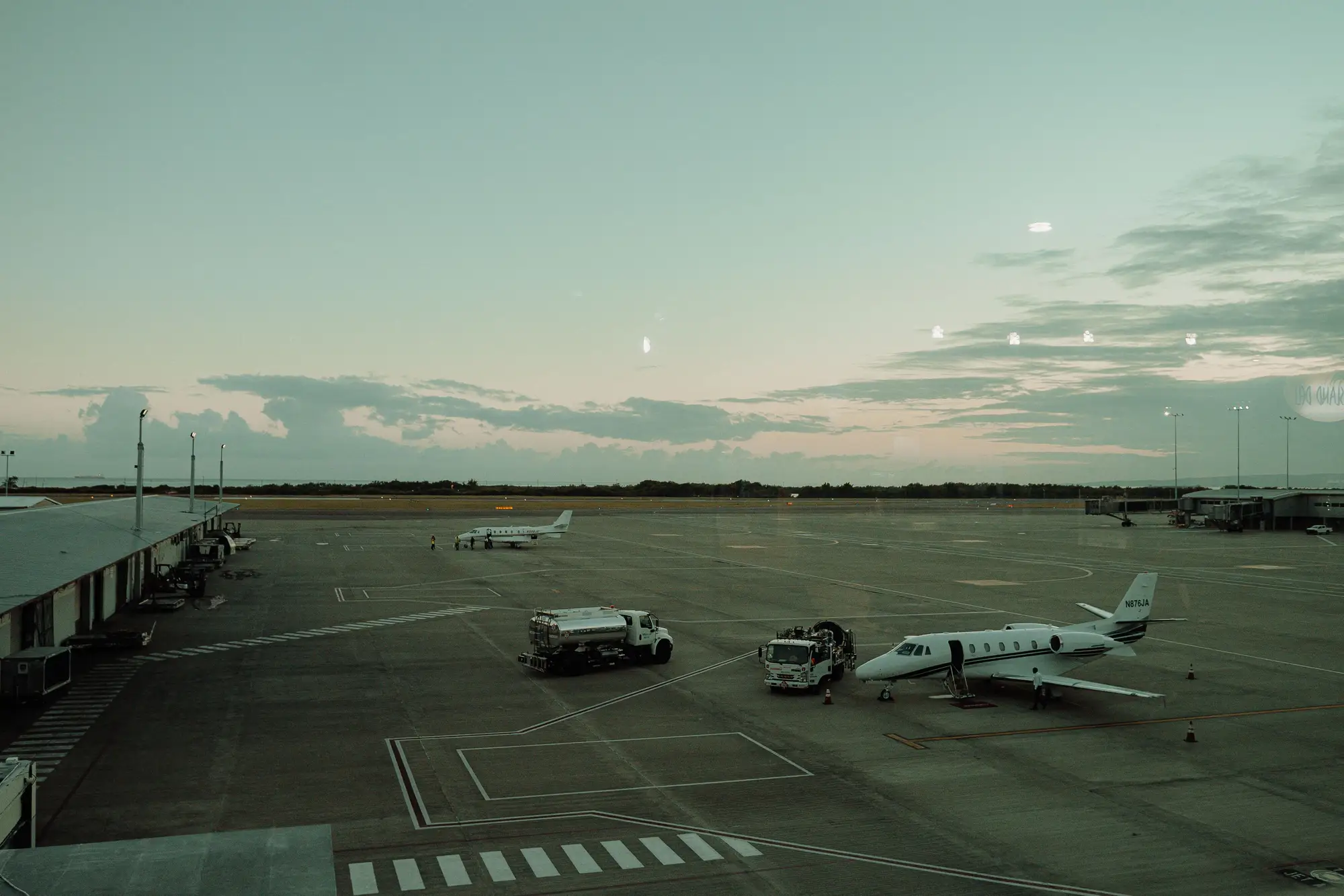
Schedules say what an airline planned to fly, and operations records say what flew. Neither tells you how many aircraft are sitting on the ramp at a base, or whether the stored line at the far end is growing. For a lessor the same gap sits behind a lessee's fleet. Today that gets answered with a phone call to a station, a site visit or a photo from someone who happened to be there. Nobody can keep an observer at every airport that matters, so the answer arrives late or not at all, and it shows when a disruption hits and the question is what is parked where.
05 Fit
Who it's for
For
- Airline fleet and network analysts who track base activity and parked-fleet utilisation at specific airports.
- Aircraft lessors and asset managers who want to see how much of a lessee's fleet is sitting on the ground at a base.
- Market analysts who compare airlines' base activity against the published schedule, especially during disruption.
Who it's not for
- Teams that need to know which individual aircraft is parked where. Registrations are not read.
- Overnight or all-weather counts. Optical capture needs daylight and a clear view.
- Following aircraft in flight. This is a daily count of what is parked.
- Teams that need a count of aircraft inside hangars. They cannot be seen.
06 FAQ
Questions from analysts and procurement
Can it identify a specific tail number?
No. Aircraft are classed as widebody, narrowbody, turboprop or regional jet. Registrations are never read.
What about aircraft in hangars?
Optical imagery cannot see under cover. Only aircraft visible on the apron are counted, so a base that keeps many aircraft in hangars will read low.
Does the count run overnight?
No. Optical capture needs daylight, so each count reflects the daytime pass.
Can I get a historical baseline?
Ask. It depends on what imagery exists for that airport, and the archive is checked before you commit.
How do I check a count against my own data?
Every count comes with its overlay image and its capture time. Set them beside your own ground sightings, a station report or a stand allocation record for the same day, and tell us where your ground truth sits when the project is scoped.
Will it fit our utilisation model?
The table is a plain CSV with one row per airport per pass, so it joins on airport code and date. If your model wants different columns, say so when the project is scoped.
Who owns the imagery and the table?
Use and ownership terms for the delivered table and overlay images are written into the contract before work starts. The imagery sources keep their own licences.
How is it priced?
Each project is scoped and quoted on its own. You get a written scope you can take through procurement.